
You receive a verification code, enter it carefully, and expect your account to be verified. Instead, the website displays an annoying message: “Invalid verification code.”
You check the numbers again. They look correct. You request another code, try once more, and still get the same result.
If this sounds familiar, you're not alone. SMS verification problems can occur for several reasons, and the problem isn't always your phone number or the SMS provider.
A verification code might have expired, been replaced by a newer code, or been entered into the wrong verification session. Sometimes, the website's verification system experiences a temporary issue.
The good news is that many of these problems are straightforward to troubleshoot.
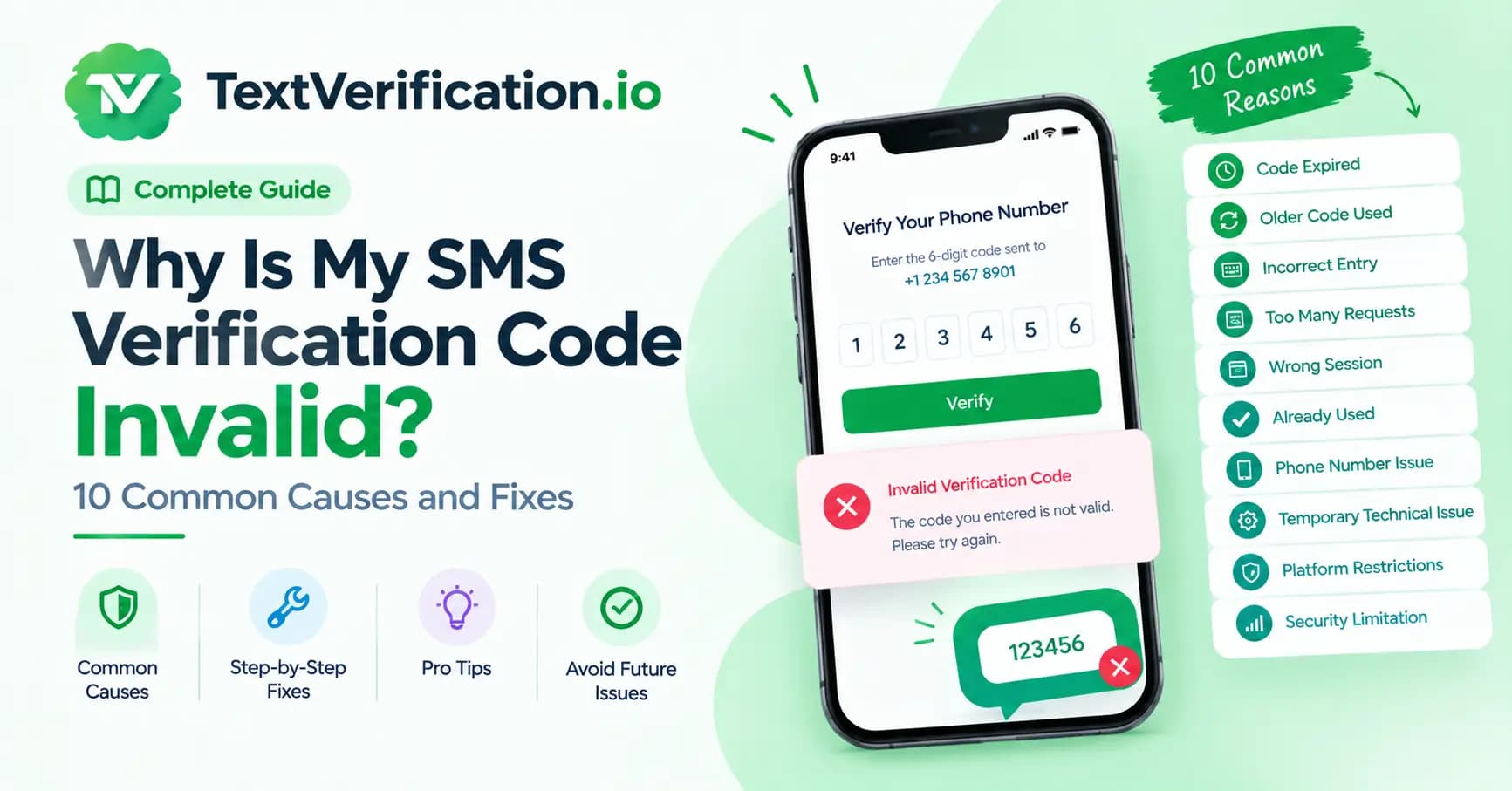
In this guide, we'll explain 10 common reasons an SMS verification code may be invalid and show you what to do about each one.
What Does “Invalid SMS Verification Code” Mean?
An SMS verification code, often called an OTP (one-time password), is a temporary code used to confirm an action such as signing in, creating an account, or resetting a password.
When you enter the code, the service checks whether it matches the expected value and meets its verification rules.
An “invalid code” message generally means the submitted code was not accepted. That can happen because the code is incorrect, expired, already used, or associated with a different verification request.
The exact meaning depends on the website or application. Some services use separate messages for expired codes, incorrect codes, and attempts that have exceeded a limit. Others display a general error for several different situations.
The first step is to identify what happened before requesting another code. Repeatedly entering random codes or requesting new ones without checking the cause can make troubleshooting harder.
10 Reasons Your SMS Verification Code Is Invalid
1. The Verification Code Has Expired
One of the most common reasons for an invalid OTP is expiration.
Verification codes usually remain valid for a limited period. The expiration window varies by service and may depend on the type of action you're completing.
If you wait too long before entering the code, the verification system may reject it even when every digit is correct.
How to fix it:
Request a new code using the website's official verification form.
Enter the new code as soon as you receive it.
Check whether the page displays an expiration timer.
Avoid switching between several verification attempts.
If a code has expired, repeatedly entering the same code will not make it valid again.
2. You Entered an Older Code
This often happens when the first message arrives late and you request another code while waiting.
For example, you request a code at 10:00 AM. Nothing arrives immediately, so you request another one a minute later. Both messages eventually appear in your inbox.
You may accidentally enter the first code even though the service now expects the second one.
Some systems invalidate the previous code when a new code is generated. Others handle multiple requests differently.
How to fix it:
Check the timestamps of the messages.
Look for any instruction explaining which code is current.
If you have requested several codes, follow the website's instructions and start a fresh verification attempt if necessary.
Enter the latest code associated with the active verification session.
Don't assume that every new code automatically invalidates the previous one; the behavior depends on the service.
3. You Typed the Code Incorrectly
It sounds obvious, but a single incorrect digit is enough to cause verification to fail.
This can happen when you're switching between applications, copying a code from a notification, or reading a message quickly.
Some codes also contain leading zeros. For example, 042817 is not necessarily equivalent to 42817.
How to fix it:
Compare the entered code with the original message.
Check every digit before submitting.
Preserve leading zeros.
Avoid adding spaces or other characters unless the form allows them.
Use the automatic code-fill feature only when it selects the correct message and code.
If the code is correct but still rejected, check the other causes in this guide.
4. You Requested a New Code Too Many Times
Requesting multiple codes in quick succession can complicate the verification process.
Some websites apply rate limits to reduce spam, automated activity, and abuse. They may temporarily restrict new requests or change which code is considered valid.
In some cases, the problem may appear after several unsuccessful attempts rather than immediately.
How to fix it:
Stop requesting new codes for a moment.
Check whether the website displays a cooldown or rate-limit message.
Wait for the period specified by the service.
Follow the official recovery instructions if verification remains blocked.
Avoid repeatedly refreshing the page or generating additional codes while a previous request is still processing.
5. The Code Belongs to a Different Verification Session
A code is not always valid simply because it came from the correct website.
Verification systems may associate codes with a particular login attempt, browser session, account, or action.
For example, you might request a code while signing in, open another browser tab, and then try entering it into a separate password-reset form.
The code may be genuine but linked to the wrong session.
How to fix it:
Return to the original verification page.
Make sure you're completing the same action for which you requested the code.
Avoid switching accounts or opening several simultaneous verification flows.
If the session has expired, restart the process through the official website.
Keeping the verification process in one active session can prevent unnecessary confusion.
6. The Code Was Already Used
Most OTP systems are designed for one-time use. Once a code has successfully completed its intended action, it may no longer be accepted.
This can become confusing if you submit a code, the page takes time to respond, and you click the verification button again.
The first submission might have succeeded even though the confirmation screen has not appeared yet.
How to fix it:
Check whether the action was already completed.
Look for a success message or updated account status.
If verification did not finish, follow the service's instructions to request a fresh code.
Avoid submitting the same code repeatedly while the request is processing.
For developers, this is also a reason to design verification flows that handle duplicate submissions gracefully.
7. Your Phone's Autofill Selected the Wrong Code
Automatic code filling is convenient, but it can occasionally select a code from an older message or another verification request.
This is more likely to be confusing when you're testing multiple accounts or using several applications at once.
How to fix it:
Check the message timestamp before accepting an autofilled code.
Compare the autofilled value with the latest relevant message.
If necessary, enter the code manually.
Make sure the code belongs to the correct website and verification action.
Autofill can save time, but it is still worth confirming that the selected code is the one you need.
8. The Website's Verification System Has a Temporary Problem
Not every invalid-code error is caused by user input.
A website may experience a temporary issue involving its authentication server, verification provider, or session-management system.
For example, a code might be generated successfully but not properly associated with the active verification request. A delayed response can also leave the page in an unexpected state.
How to fix it:
Check whether the service has reported an outage.
Wait briefly before starting another verification attempt.
Reload the page only if doing so will not interrupt an important process.
Try again through the official website or application.
Contact support if the problem continues.
If the same correctly entered code keeps failing, a technical issue is one possibility worth investigating.
9. The Phone Number or Account Details Are Incorrect
Sometimes, the problem begins before the code arrives.
You may have selected the wrong country code, entered a different phone number, or switched to another account during verification.
A code sent to one number or account may not work for a different verification request.
How to fix it:
Check the phone number displayed on the verification page.
Confirm the country code and number format.
Make sure you're using the intended account.
If the number is incorrect, follow the website's official process to change it and request a new code.
Do not assume that a code received on your phone must belong to the page currently open in your browser.
10. The Service Has Temporarily Restricted Verification
Some websites limit verification attempts when their security systems detect unusual activity.
Depending on the platform, this may happen after too many incorrect codes, repeated requests, or other activity that triggers a security check.
A restriction may prevent further attempts even if you later enter a correct code.
How to fix it:
Stop submitting codes while the restriction is active.
Read the error message for instructions or a waiting period.
Use the official account recovery or support process.
Complete any additional security checks requested by the service.
Avoid trying to bypass the restriction by repeatedly changing numbers or creating additional verification attempts. That may trigger further restrictions.
Quick Troubleshooting Checklist
If your SMS verification code isn't working, use this checklist before requesting another one.
Check that you entered every digit correctly.
Make sure the code has not expired.
Confirm that you're using the correct and current code.
Check whether the code was already used.
Return to the original verification session.
Confirm that the displayed phone number is correct.
Check for a cooldown or rate-limit message.
Look for a service outage or technical issue.
Follow the website's official recovery instructions.
If you've checked everything and the code is still rejected, contact the service's support team. Include the exact error message and approximate time of the failed attempt, but never share your password or OTP in an ordinary support request.
Invalid Code vs. Code Not Received: What's the Difference?
These two problems are related, but they need different troubleshooting steps.
Problem | What It Usually Means | What to Check |
|---|---|---|
Invalid verification code | The submitted code was not accepted | Expiration, incorrect digits, older codes, session mismatch |
Verification code not received | The expected SMS has not arrived | Number format, SMS support, delivery delays, provider status |
Expired verification code | The code's validity period has ended | Request a new code and enter it promptly |
Too many attempts | A rate limit or temporary restriction may be active | Follow the cooldown and official recovery process |
Number not supported | The service may not accept that number or number type | Country eligibility and platform requirements |
Understanding the difference helps you avoid wasting time on the wrong solution.
For example, buying another phone number won't necessarily fix an expired code or a session mismatch. Likewise, repeatedly requesting a new OTP won't resolve a platform restriction.
If your main problem is that no message arrives at all, see your site's related guide on why SMS verification codes are not received.
How to Prevent SMS Verification Errors
You cannot prevent every verification issue, because some depend on the website or its messaging provider. However, a few habits can reduce avoidable errors.
Enter the Code Promptly
Check the message as soon as it arrives and follow the expiration instructions shown by the service.
Avoid Multiple Code Requests
Give the first request time to complete before requesting another code. This reduces confusion when messages arrive late.
Keep One Verification Session Open
Complete the process in the same browser tab or application whenever possible.
Check the Number Before Starting
Confirm that the country code and phone number are correct and that the number is supported by the receiving platform.
Follow Rate Limits
If a website asks you to wait, respect the cooldown rather than continuing to submit requests.
Use Secure Account Recovery Options
For important accounts, keep recovery details up to date. If the service supports passkeys, an authenticator app, or backup codes, consider enabling an appropriate alternative authentication method.
What If You're Testing SMS Verification for Your Own Application?
For developers, repeated invalid-code reports may point to a problem in the application's verification flow.
Here are several areas worth checking.
Code expiration: Make sure the server checks the code's expiration time consistently.
Session association: Confirm that a code is linked to the correct account and verification request.
One-time use: Invalidate a code after successful use and prevent duplicate submissions from causing unexpected behavior.
Resend behavior: Define what happens when a new code is requested. If the previous code becomes invalid, make that behavior clear to users.
Rate limiting: Apply reasonable limits to code requests and failed submissions to reduce abuse.
Error messages: Give users enough information to troubleshoot without revealing sensitive details that could weaken account security.
Monitoring: Track aggregate failure rates and technical errors so that you can identify problems with specific releases or providers.
Testing these scenarios before launching a feature can reduce confusion for real users.
Can a Phone Number Cause an Invalid OTP Error?
It can contribute to verification problems, but an invalid code does not automatically mean the phone number is defective.
A number might be unsupported by the receiving platform, associated with a different account, or unable to receive the expected type of message. A temporary number may also have limited availability or access rules.
However, if the code has expired or belongs to another session, changing the number is unlikely to solve the underlying problem.
Before choosing a different number, identify whether the issue relates to message delivery, number eligibility, or code validation.
If you use a number for an important account, make sure you can retain access to it for future verification and account recovery.
How TextVerification.io Fits Into SMS Verification
If you're looking for phone numbers for supported SMS verification use cases, you can explore TextVerification.io.
Before selecting a number, check the available countries, number types, pricing, and relevant service terms. Also confirm that your intended platform accepts the number type you plan to use.
Remember that receiving a verification message and having a code accepted are two different steps. The number must be suitable for the intended platform, and the code must still be valid for the correct verification session.
No phone number can guarantee that every third-party service will accept it.
Choose a service based on your actual requirements, and follow the receiving platform's verification rules.
Frequently Asked Questions
Why does my SMS verification code say invalid even when it's correct?
The code may have expired, been replaced by a newer code, already been used, or become disconnected from the active verification session. A temporary technical issue can also cause the service to reject a valid code.
Can I use an older SMS verification code?
Sometimes, but it depends on the service. Some systems invalidate earlier codes when a new one is generated, while others handle multiple requests differently. Follow the instructions on the active verification page.
Why does my OTP expire so quickly?
Verification codes are designed to be valid for a limited period to reduce the risk of misuse. The duration varies by service. Check the instructions displayed by the website or application.
Will requesting another code fix an invalid OTP?
It may help if the current code has expired or is no longer valid. However, requesting multiple codes can create confusion or trigger rate limits. Check the error message first and follow the service's instructions.
Why does my verification code work on one page but not another?
The code may be linked to a particular account, browser session, or action. A code generated for login may not be valid for password recovery or another verification process.
Can a temporary phone number cause OTP problems?
Yes, depending on the provider and receiving platform. A number may have limited access, may not support the required message type, or may be rejected by the platform. But not every invalid OTP error is caused by the number.
What should I do if every new verification code is rejected?
Stop requesting additional codes for a moment. Check the phone number, active session, error message, and any rate-limit instructions. If the issue continues, contact the platform's official support team.
Is it safe to share my verification code with customer support?
Do not share your OTP in an ordinary support message or with someone who contacts you unexpectedly. Use the official support channel and provide the error details requested without disclosing passwords or authentication codes.
Final Thoughts
An invalid SMS verification code can be frustrating, especially when you're sure you've entered it correctly. But the cause isn't always obvious, and requesting more codes isn't necessarily the answer.
Start by checking the expiration time, confirming that you're using the correct code, and making sure it belongs to the active verification session. If those checks don't help, look for rate limits, account restrictions, or a temporary technical problem.
For developers, reliable verification also depends on how codes are generated, associated with sessions, expired, and validated.
If you're exploring phone numbers for SMS verification, visit TextVerification.io to review the available options and their current terms.
The best approach is to identify the actual problem first, then follow the appropriate troubleshooting steps.
Homepage: Textverification
SMS verification code not received guide: SMS verification codes are not received
OTP code explainer: one-time password (OTP)
VoIP vs. non-VoIP guide: non-VoIP number
Pricing page: available options and pricing.