
If you've ever tested a sign-up flow that sends a text message, you know the pain. Someone grabs a phone, waits for the code, and types it in. It's slow, it breaks automated tests, and it puts a teammate's personal number into your test data.
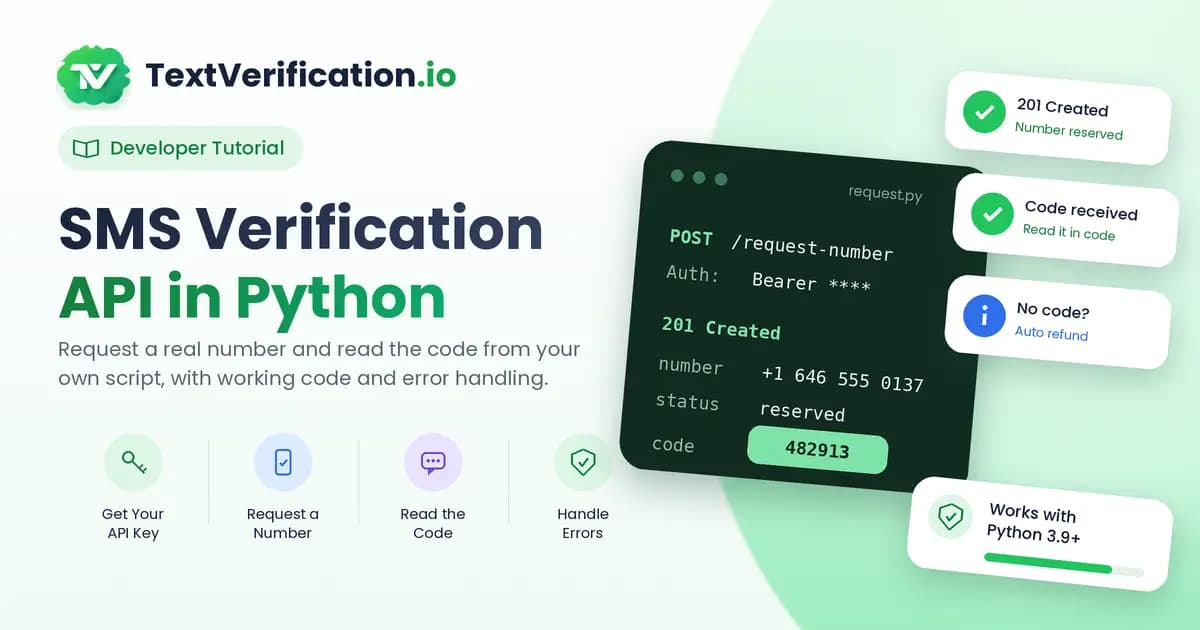
An API fixes that. In this tutorial, we'll write a small Python script that requests a real phone number, waits for the verification code, and hands it back to you, all without touching a phone.
What we'll build
A short script that does four things:
Requests a carrier-issued (non-VoIP) number from the TextVerification API
Gives you the number to use in the app you're testing
Waits for the SMS code to arrive
Prints the code, or tells you clearly if it never showed up
This is meant for testing your own sign-up and two-factor flows, or for other lawful verification needs. If you're new to line types, our guide to VoIP vs non-VoIP numbers explains why real carrier numbers matter in testing.
What you need
Python 3.9 or newer
The
requestslibraryA TextVerification account with some balance, and your API key. You can create a free account here and find the key in your dashboard.
The ID of the service you want to test against, found in the API guide
Step 1: Set up your project
Create a folder, a virtual environment, and install requests:
python -m venv venv
source venv/bin/activate   # on Windows: venv\Scripts\activate
pip install requests
Now store your API key as an environment variable. Don't paste it into your code. If a script ends up on GitHub with a key inside, anyone can spend your balance.
export TV_API_KEY='your_api_key_here' # on Windows PowerShell: $env:TV_API_KEY='your_api_key_here'Step 2: Request a number
The API uses simple Bearer-token authentication. You send your key in the Authorization header, and a small JSON body saying which service you need a number for.
import os
import time
import requests

BASE_URL = 'https://textverification.io/api/v1'
API_KEY = os.environ['TV_API_KEY']

HEADERS = {
    'Authorization': f'Bearer {API_KEY}',
    'Content-Type': 'application/json',
}


def request_number(service_id, state=None):
    payload = {'serviceId': service_id}
    if state:
        payload['state'] = state  # optional: choose a US state

    resp = requests.post(
        f'{BASE_URL}/users/request-s1-service',
        headers=HEADERS,
        json=payload,
        timeout=30,
    )
    resp.raise_for_status()

    body = resp.json()
    if not body.get('success'):
        raise RuntimeError(body.get('message', 'Number request failed'))
    return body['data']
A successful call returns something like this:
{
  "statusCode": 201,
  "data": {
    "orderId": "55655059",
    "number": "14386194444",
    "serviceName": "Google",
    "status": "reserved",
    "price": "0.45",
    "expiredIn": 900
  },
  "message": "Request Successful!",
  "success": true
}
The fields you'll use most are orderId (to track this request), number (what you type into your app), and expiredIn (how many seconds the number stays valid, so 900 means 15 minutes).
Step 3: Use the number in your app
With the number in hand, enter it in the sign-up or login form you're testing. You can do this by hand while you're getting started, or automate it later with a browser tool like Playwright or Selenium.
One rule worth following: only test against apps you own or have permission to test, and follow the terms of any third-party service.
Step 4: Wait for the code
Now the script needs to find out when the SMS arrives. The simplest approach is polling: ask the API every few seconds until the code shows up or time runs out.
# TODO: replace with the exact order-status endpoint from the API guide
STATUS_URL = f'{BASE_URL}/<order-status-endpoint>/{{order_id}}'


def wait_for_code(order_id, timeout=900, interval=5):
    deadline = time.time() + timeout
    while time.time() < deadline:
        resp = requests.get(
            STATUS_URL.format(order_id=order_id),
            headers=HEADERS,
            timeout=30,
        )
        resp.raise_for_status()
        data = resp.json().get('data', {})

        code = data.get('code')  # TODO: confirm the field name in the API guide
        if code:
            return code

        time.sleep(interval)
    return None
A few notes on this loop:
It stops at the deadline, so it never runs forever.
A five-second interval is polite. Hammering the API every half second won't make the SMS arrive faster.
It returns
Nonewhen nothing arrives, so the rest of your code can decide what to do.
Step 5: Put it together and handle errors
Here's the whole script. It catches the common problems (bad key, no balance, network trouble, no code) and tells you what happened.
def main():
    service_id = input('Service ID to test: ').strip()

    try:
        order = request_number(service_id)
    except requests.HTTPError as err:
        print('The API rejected the request:', err.response.text)
        return
    except requests.RequestException as err:
        print('Network problem:', err)
        return

    print('Order ID:', order['orderId'])
    print('Use this number in your app:', order['number'])
    print('Valid for', order['expiredIn'] // 60, 'minutes')
    input('Press Enter after you have submitted the number in your app... ')

    code = wait_for_code(order['orderId'], timeout=order['expiredIn'])
    if code:
        print('Your code:', code)
    else:
        print('No code arrived before the number expired.')
        print('Unused orders are refunded automatically, but note the order ID in case you need support.')


if __name__ == '__main__':
    main()
If no code arrives before the number expires, the amount goes back to your balance automatically, so a failed test doesn't cost you.
Optional: use a callback instead of polling
Polling is fine for small scripts. For a bigger test suite, a callback is neater: you give the API a URL, and it sends the code to your server when it arrives. The API retries automatically if your server doesn't answer.
Here's a minimal receiver using Flask:
from flask import Flask, request, jsonify

app = Flask(__name__)
received_codes = {}


@app.post('/sms-callback')
def sms_callback():
    payload = request.get_json(silent=True) or {}

    # TODO: confirm the callback payload fields in the API guide
    order_id = payload.get('orderId')
    code = payload.get('code')

    if order_id and code:
        received_codes[order_id] = code

    return jsonify({'ok': True}), 200
Two things to remember. Reply with a 200 quickly, because slow replies look like failures and trigger retries. And write your handler so receiving the same code twice does no harm, since retries can deliver duplicates. To test on your own machine, expose your local server with a tunnel tool such as ngrok, then register that public URL as your callback.
Best practices
Keep keys out of code. Use environment variables or a secrets manager.
Log order IDs. When something goes wrong, the order ID is the first thing support will ask for.
Use timeouts everywhere. A request without a timeout can hang your test suite.
Back off when retrying. Add a short, growing pause instead of retrying instantly.
Test in staging. Don't point automated tests at production systems you don't own.
Clean up. If a test fails early, cancel unused numbers where the API allows it.
Quick FAQ
Do I get charged if the code never arrives? No. If no code arrives before the number expires, or you cancel it first, the full price returns to your balance automatically.
Can I use this for sending text messages to my users? No. These numbers are for receiving verification codes. For sending OTPs to your own users, you'd use an SMS sending provider.
Does a real carrier number guarantee the code will arrive? No service can promise that. Line type is only one thing apps check. A real carrier number simply avoids the most common rejection.
Is it okay to use this for testing? Yes. Testing your own sign-up and 2FA flows end to end with real numbers is one of the main reasons developers use it. For other uses, always follow the terms of the service you're verifying with.
The takeaway
With about 60 lines of Python, you can take phone verification out of your testing routine: request a number, use it, and read the code from your script. Start with the polling version, and move to callbacks once your test suite grows.
Ready to try it? Get your API key, keep the API guide open for the exact field names, and check pricing to plan your test budget.