
Introduction
Have you ever tried to create an account, sign in to a website, or reset a password but never received the SMS verification code? You're not alone. Missing one-time passwords (OTPs) are a common problem that can interrupt account registration, login, and other online activities.
There are several possible reasons why a verification code may not arrive. Your phone number might be incorrect, your mobile network could be experiencing delays, your device may be filtering messages, or the website might not support your number type.
The good news is that many SMS verification problems can be resolved with a few simple checks.
In this guide, you'll discover 12 common reasons why SMS verification codes are not received, practical troubleshooting steps, and ways to prevent the problem from happening again.
If you need information about SMS verification services, visit TextVerification.io to explore the available options.
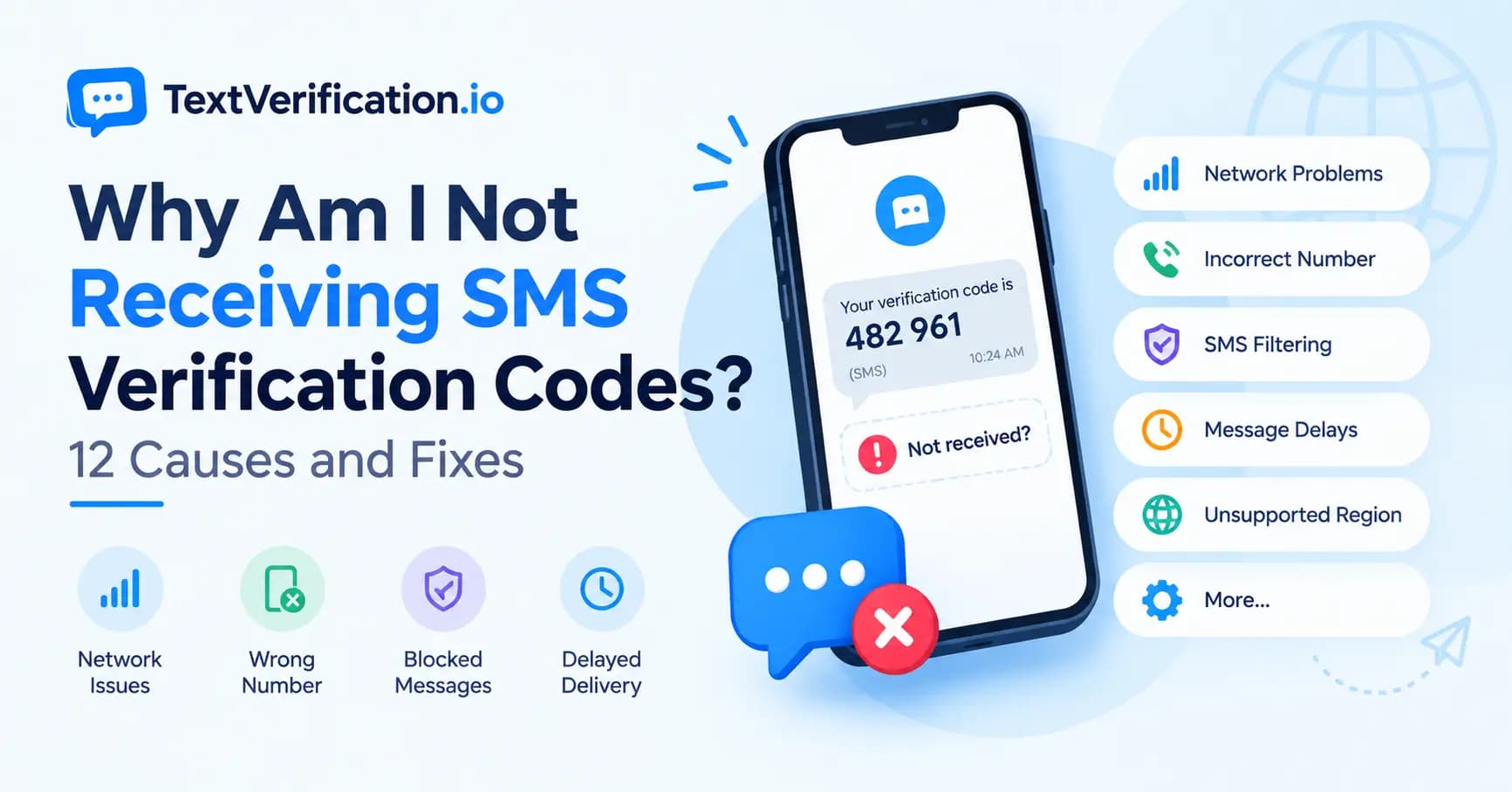
Why Am I Not Receiving SMS Verification Codes?
An SMS verification code may fail to arrive because of a problem with your phone number, mobile carrier, device settings, the sending platform, or the verification service.
Before trying another number, start with the basics: confirm your number, check your network, review blocked messages, and make sure you haven't requested too many codes.
Here are 12 common causes and their possible solutions.
1. You Entered the Wrong Phone Number
One of the simplest reasons for a missing OTP is an incorrect phone number. Even a single wrong digit can prevent a verification message from reaching the intended recipient.
This can happen when typing a number manually, copying it from another source, or selecting the wrong country code.
How to fix it
Double-check every digit of your phone number.
Confirm that you selected the correct country.
Check whether the website already adds the country code automatically.
Correct the number and request a new verification code.
For international numbers, make sure the country calling code and number format match the instructions on the verification page.
2. Your Mobile Network Is Experiencing Delays
SMS messages do not always arrive instantly. Network congestion, temporary carrier problems, weak signal strength, and routing delays can affect message delivery.
A verification code may arrive several minutes after it was requested, or it may expire before reaching your phone.
How to fix it
Check whether your phone has a stable mobile signal.
Move to an area with better reception.
Wait briefly before requesting another code.
Check whether ordinary SMS messages are arriving.
Contact your mobile carrier if the issue affects multiple senders.
Avoid repeatedly requesting new codes while waiting. Some services invalidate older codes when they generate a replacement.
3. Your Phone Is Blocking or Filtering SMS Messages
Some phones and messaging apps filter unwanted messages, block certain senders, or move suspected spam into a separate folder.
As a result, a verification message may arrive without appearing in your main inbox.
How to fix it
Open your messaging app and check the spam or blocked-message folder.
Review your blocked contacts and numbers.
Check whether your messaging app has spam protection enabled.
Make sure your SMS inbox is functioning normally.
Contact your carrier if verification messages appear to be blocked at the network level.
The exact steps depend on your phone model, operating system, and messaging app.
4. Your Phone Number Type Is Not Supported
Some websites and apps restrict the types of phone numbers they accept for verification.
For example, a platform may reject certain VoIP numbers, virtual numbers, temporary numbers, or numbers associated with previous accounts. Other services may support only selected countries or mobile carriers.
This means a number can be capable of receiving SMS but still be rejected by a particular website.
How to fix it
First, check the platform's verification requirements and supported countries. If the platform does not accept your number type, use another verification method that the platform permits.
For supported workflows, you can compare available number options through the TextVerification.io pricing page.
Keep in mind that a non-VoIP number does not guarantee acceptance by every website. Acceptance depends on the destination platform and its verification policies.
5. You Requested Too Many Verification Codes
Websites and apps often limit how frequently users can request verification messages. These limits help prevent spam, automated abuse, and repeated login attempts.
If you request multiple codes within a short period, the service may temporarily delay or block additional requests.
How to fix it
Stop requesting new codes for a while.
Follow the waiting period displayed on the website or app.
Use the most recently requested code if the service invalidates earlier codes.
Avoid repeatedly refreshing the verification page.
Contact the platform's support team if the restriction continues beyond the stated waiting period.
There is no universal cooldown period. The waiting time depends on the service's security rules.
6. The Verification Code Has Expired
OTP codes are usually valid for a limited period. If you wait too long before entering the code, the service may reject it.
Sometimes the message arrives successfully, but the code is already expired or has been replaced by a newer one.
How to fix it
Check the expiration timer or instructions on the verification page.
Request a new code if the previous one has expired.
Use the latest valid code.
Enter it promptly without unnecessary delays.
Avoid using a code intended for a previous verification session.
Never share an OTP with another person, even if they claim they need it to help you complete verification.
7. Your Carrier Cannot Receive That Type of Message
Not all mobile plans and networks handle every type of SMS in the same way. International messaging restrictions, account limitations, carrier filtering, or unsupported sender routes may prevent certain verification messages from arriving.
This is particularly relevant when the message originates from an international service.
How to fix it
Check whether your mobile plan supports incoming international SMS.
Confirm that your carrier has not blocked the sender or message category.
Test whether you can receive ordinary messages from other sources.
Contact your carrier and ask whether verification or application-generated SMS messages are restricted.
If ordinary SMS works but messages from one particular platform do not, the problem may be related to that platform's messaging route or policies.
8. Your Device Has a Messaging or Software Problem
A temporary issue with your phone, messaging app, or operating system can sometimes affect message notifications or inbox behavior.
You may receive an SMS without noticing it, or your messaging application may not display messages correctly.
How to fix it
Restart your phone.
Open the messaging app directly instead of relying only on notifications.
Install available software updates.
Check notification settings for your messaging app.
Make sure your device is not in a state that prevents you from noticing incoming messages.
If the issue continues, test your SIM card in a compatible device where permitted, or ask your carrier to check the service.
9. Your SIM Card or Mobile Service Is Inactive
An inactive SIM card, suspended mobile service, damaged SIM, or account problem may prevent incoming SMS messages.
This is different from a temporary delay caused by weak network coverage.
How to fix it
Confirm that your mobile service is active.
Check whether calls and ordinary SMS messages work.
Make sure the SIM card is properly installed, if applicable.
Contact your mobile carrier if the device cannot receive messages from multiple sources.
If your carrier confirms that the number or SIM is inactive, resolve that issue before requesting another verification code.
10. The Website or App Is Experiencing a Technical Issue
Sometimes the problem is not your phone at all. The website's SMS provider, verification system, or server may be experiencing an outage or temporary delivery problem.
In this situation, changing your phone settings may not help.
How to fix it
Check the website's official status page or support announcements.
Wait a few minutes and try again if the service reports a temporary issue.
Review the platform's help documentation.
Contact the website's support team if verification continues to fail.
If messages from other services arrive normally but one particular platform consistently fails, the issue may be specific to that platform.
11. Your Region or Country Is Not Supported
Some platforms support phone verification only in selected countries or regions. Others may offer different verification options depending on where the user is located.
Even if your phone number is valid, the platform may not send an OTP to that country or number type.
How to fix it
Review the platform's official list of supported countries.
Confirm that your selected country matches your actual number.
Check whether an alternative verification method is available.
Follow the platform's rules rather than misrepresenting your location or identity.
If you are using a verification service, check which countries and services are currently available before choosing a number.
You can review the available options on TextVerification.io.
12. The Number Has Previous Usage or Platform Restrictions
A phone number may have been used previously, may be associated with an existing account, or may be restricted by the destination platform.
This can happen with ordinary mobile numbers as well as temporary or rented numbers. A platform may also apply risk checks that prevent it from sending a code.
How to fix it
Read the platform's error message carefully.
Check whether the number is already associated with another account.
Follow the platform's official account recovery or number-change process.
Contact support if you believe the restriction is incorrect.
Use a different number only if the platform's rules permit it.
Repeatedly submitting different numbers may trigger additional security restrictions, so resolve the underlying issue whenever possible.
Step-by-Step Checklist: What to Do When an OTP Does Not Arrive
If you are still not receiving an SMS verification code, follow this checklist in order.
Confirm that the phone number and country code are correct.
Check your mobile signal and service status.
Open your SMS inbox and review spam or blocked messages.
Wait for any cooldown period before requesting another code.
Check whether the code has expired.
Confirm that the platform supports your country and number type.
Test whether ordinary SMS messages arrive.
Check the platform's official status page or help center.
Contact the carrier or platform support if the issue continues.
If the problem occurs with only one website, investigate that website's verification rules first. If you cannot receive SMS messages from multiple sources, your phone, SIM, or carrier may need attention.
Can a Different Number Help With SMS Verification?
In some cases, yes. If a platform does not support your current number type or carrier, a different number that meets its requirements may help.
However, changing numbers will not resolve every problem. If the website is experiencing an outage, your account is rate-limited, or the platform has restricted verification attempts, you may need to wait or contact support instead.
For lawful and supported verification workflows, TextVerification.io offers temporary SMS verification options and longer rental options. You can review the current plans on the pricing page.
Before choosing a number, confirm that the intended service is supported and that the number type meets the platform's requirements. SMS delivery and acceptance cannot be guaranteed for every service.
How to Reduce SMS Verification Problems in the Future
A few simple habits can help reduce the likelihood of missing an OTP.
Keep Your Contact Details Accurate
Use the correct phone number and country code whenever you register or update account information.
Avoid Repeated Requests
Request a code once and wait for the platform's stated delivery period before trying again.
Keep Your Device Updated
Maintain your phone's software and messaging application, and check that important SMS notifications are enabled.
Understand the Platform's Requirements
Before beginning verification, check supported countries, number types, and available authentication methods.
Choose Appropriate Recovery Methods
For important accounts, use recovery options that you can reliably access over time. A temporary number may not remain available after its validity or rental period ends.
Protect Your Verification Codes
Never share an OTP with anyone. Use official websites and applications, and be alert to unexpected verification requests.
Frequently Asked Questions
1. Why am I not receiving SMS verification codes?
Common causes include an incorrect number, network delays, SMS filtering, carrier restrictions, unsupported number types, expired codes, and temporary platform issues. Check your number and network first, then investigate the platform's verification requirements.
2. Why is my OTP not coming even when my network is working?
A working network does not guarantee that every SMS will arrive. The sender's messaging system, carrier routing, spam filtering, rate limits, or platform restrictions may still prevent delivery.
3. How long should I wait for an SMS verification code?
Follow the instructions provided by the website or app. If no waiting period is shown, wait briefly before requesting another code. Repeated requests may trigger a temporary restriction.
4. Why am I receiving OTP codes late?
SMS delays can occur because of network congestion, carrier routing, sender-side processing, or temporary technical problems. If delays happen repeatedly, contact your carrier or the platform that sends the messages.
5. Can a website block my phone number from receiving OTPs?
A platform may restrict a number, limit verification attempts, or decline to send messages to unsupported number types or regions. Check the platform's official error message and support documentation.
6. Will restarting my phone fix a missing verification code?
It may help if the problem is related to a temporary device or messaging-app issue. However, restarting will not resolve carrier restrictions, an incorrect number, or an outage on the sender's side.
7. Can I use a temporary number to receive an SMS verification code?
Some services provide temporary numbers for supported verification workflows. Whether a number works depends on its availability and the destination platform's policies. Check the service details before purchasing, and avoid temporary numbers for accounts that require dependable long-term recovery.
8. Why does my verification code say invalid?
The code may have expired, been replaced by a newer code, been entered incorrectly, or been generated for a different verification session. Request a fresh code through the official service and use the latest valid one.
9. What should I do if I never receive a password reset code?
Confirm that you entered the correct registered phone number or email address. Check spam folders, wait for the stated delivery period, and use the platform's official account recovery process if the message still does not arrive.
10. Where can I learn more about SMS verification options?
Visit TextVerification.io to learn about the service and review currently available plans on the SMS verification pricing page.
Conclusion
Not receiving an SMS verification code can be frustrating, but the cause is often something you can identify with a few basic checks. Incorrect contact details, network delays, message filtering, expired OTPs, carrier restrictions, and platform-specific policies are among the most common reasons.
Start by confirming your number, checking your inbox and network, and waiting for the service's required cooldown period. If the issue continues, investigate whether the problem comes from your carrier or the website requesting verification.
For supported verification workflows, you can explore the options available at TextVerification.io and compare current plans on the pricing page.
Remember: No SMS verification service can guarantee delivery or acceptance on every platform. Always follow the destination service's rules and protect your verification codes.